


How Real-Time Data Improves Patient Adherence
Key Takeaways
Author


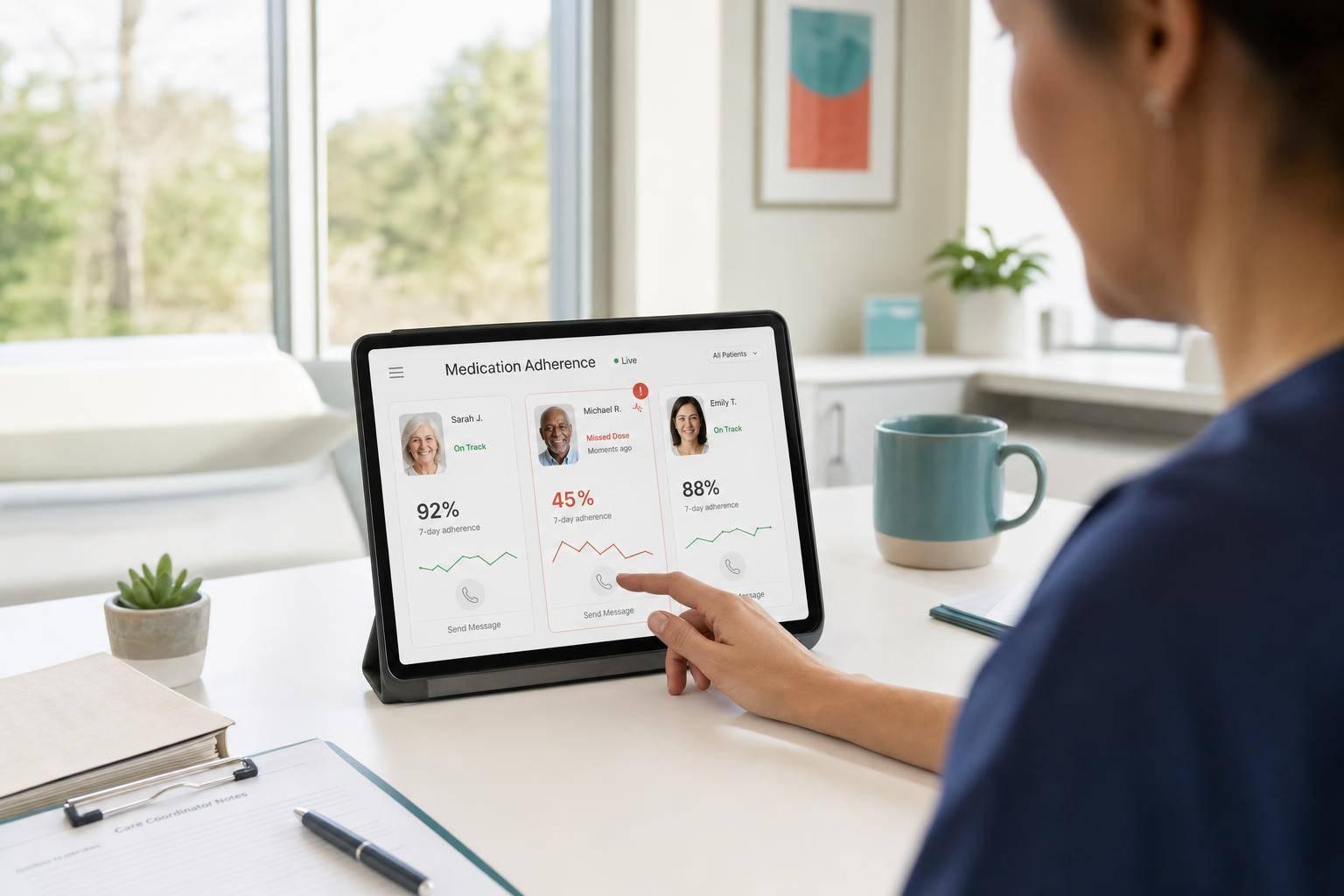
About 50% of patients do not follow medication plans as prescribed, and more than 1 in 4 new U.S. prescriptions are never filled. That is the core problem. My takeaway is simple: if you want better adherence, you need live signals, clear alert rules, and the right follow-up at the right time.
Here’s the short version:
-
Real-time data helps teams act earlier
- pharmacy fill alerts
- smart pill device events
- EHR status changes
- patient symptom check-ins
- message opens, clicks, and replies
-
Old tracking methods are too slow
- claims data can arrive weeks late
- self-reporting is often incomplete
- first-fill failures can be missed
-
Live data only works if it leads to action
- define what counts as adherent, late, or at-risk
- assign each alert to one team
- decide the next step before the alert fires
-
Dashboards should show both risk and reason
- missed refill
- side effect issue
- insurance barrier
- missed pre-op task
-
Not every problem needs the same response
- text for a late dose
- phone call for access or side-effect issues
- nurse or mentor contact for anxiety, training, or surgery prep
-
Programs scale better when data, outreach, and logging work together
- role-based access
- shared views across teams
- audit logs for HIPAA-aligned use
A study cited in the article found that a model refreshed every 15 minutes improved adherence by 5% across thousands of patients. That’s the main point: better adherence is not just about reminders. It is about seeing risk early, routing it to the right person, and responding before the patient drops off.
If I had to sum up the article in one line, it would be this: real-time adherence data matters because timing changes outcomes.

Real-Time vs. Traditional Adherence Tracking: Key Differences & Outcomes
Real time remote monitoring of confirmed medication adherence
sbb-itb-8f61039
Map Real-Time Data Sources to Specific Adherence Goals
Live signals only help when they connect to one clear adherence goal. A refill gap can mean one thing for a patient taking a daily oral medication and something else for a patient getting ready for surgery. Once that link is clear, you can set trigger rules that turn each signal into action.
Match Data Signals to Medication, Treatment, and Surgery Workflows
Different workflows need different signals. For chronic medication adherence, dose-timestamp data from smart pill bottles or blister packs gives you the most direct signal. When a patient opens a vial or breaks a blister pack, the device logs the exact date and time. That shows actual behavior, not just a stand-in metric.
For side-effect-related discontinuation risk, symptom or side-effect logs from EHR integration can help. If a patient starts reporting adverse effects, that may be an early sign they could stop treatment before finishing it. For surgery readiness, pre-op checklist completion shows whether the patient is staying on track. If even one item is missed, that should trigger escalation.
Define what counts as adherent, late, and at-risk for each patient journey before you write alert rules. Then set thresholds based on risk. Some workflows need immediate outreach. Others can allow a short grace period.
Build a Simple Adherence Signal Framework
After you map the signals, the next step is to use a structure your team can repeat every time. The idea is simple: match each signal to the patient behavior behind it, then decide ahead of time what threshold should trigger a response. A practical framework includes five parts for each signal: the target behavior, the live signal, the escalation threshold, the responsible team, and the next-best action.
That keeps everyone on the same page. No guessing. No handoff confusion. When a signal appears, the team already knows who owns it and what happens next.
The table below shows how this works across common data sources:
| Data Signal | Patient Behavior Reflected | Escalation Threshold | Responsible Team | Next-Best Action |
|---|---|---|---|---|
| Refill gap | High risk of treatment discontinuation | 3-day refill gap | Patient support specialist | Immediate outreach |
| Dose-timestamp data | Actual dose timing and persistence | Missed dose or erratic pattern | Pharmacist or support team | Personalized timing strategy |
| Engagement history | Confusion or low perceived treatment value | Declining interaction | Patient support team | Behavioral nudge or educational content |
| Pre-op checklist incomplete | Lack of surgery readiness | Any incomplete item before cutoff | Clinical team | Clinical escalation |
| Symptom / side-effect log | Risk of discontinuation due to adverse events | New or worsening symptom | Clinical team | Clinical review |
One study found that a real-time prioritization model refreshed every 15 minutes improved adherence by 5% across thousands of patients.
That kind of framework cuts out ambiguity. When a signal fires, the next step is already set. Those rules also make it much easier to build dashboards and alerts that teams can use day to day.
Turn Live Data Into Dashboards, Alerts, and Actionable Workflows
Once your signal framework is set, each signal threshold should trigger something useful: a live task, an alert, or a dashboard view. The goal is simple. When a signal changes, the right team should see it and know what to do next.
Design Dashboards That Surface Adherence Risk Quickly
Build role-based views around the signals each team can act on. Care teams need patient-level timelines, clinical risk flags, and vitals trends. Patient engagement teams need outreach lists ranked by behavioral signals, like a missed refill, missed dose, symptom spike, or an incomplete pre-op step.
The main design rule is drill-down access. A summary view can show that a patient is at risk. But the drill-down needs to show why. Maybe there's a new side effect. Maybe there's a pharmacy gap. Maybe an insurance issue is getting in the way. Show the barrier, not just the risk, such as how mentorship impacts patient decision making.
It also helps to place dashboards inside tools teams already use, such as Salesforce or an EHR. That cuts app-switching and saves time. When specialists can open a ranked list inside their normal workflow, they tend to act sooner. In one case, a real-time prioritization model refreshed every 15 minutes and embedded straight into Salesforce helped patient support specialists focus on high-risk outreach. The result was a 5% improvement in patient adherence across a population of thousands.
Once teams can spot risk fast, the next job is keeping the signal-to-noise ratio under control.
Set Alert Rules Without Creating Noise
Alert fatigue is a real problem. If every signal sends a notification, people start tuning them out. The fix is role-based routing and clear priority levels. Not every alert belongs in front of every person.
Start with simple rules that people can understand and check. A rule like "missed dose + patient age over 65" is easy to audit, easy to explain, and can cut false positives. From there, add practical guardrails. Pause alerts during active codes or OR cases. Include a clear escalation path when an alert goes unacknowledged. And give teams a simple way to mark alerts as useful or not useful. A thumbs up/thumbs down option helps flag false positives over time, which lets you tune thresholds with actual feedback.
High-priority alerts should then flow straight into the outreach workflow, not sit in a separate queue waiting for someone to notice them.
Adherence Dashboard Features Compared
| Feature | Value | Likely Users | Build Notes |
|---|---|---|---|
| Adherence Scorecards | Quick visual summary of individual or population adherence status | Commercial Teams, Care Teams | Requires standardized definitions of "adherent" across therapies |
| Risk Stratification | Prioritizes high-risk patients to focus outreach resources | Patient Engagement Teams, Care Managers | Needs dynamic scoring from fill data and engagement history |
| EHR/CRM Integration | Puts adherence data inside existing workflows, reducing app-switching | Clinicians, Support Specialists | Requires HL7/FHIR interoperability and secure API connections |
| Closed-Loop Alerts | Tracks whether a flagged risk was acknowledged and acted on | Charge Nurses, Pharmacists | Must include role-based routing and acknowledgment hooks |
| Patient Messaging | Enables direct outreach from the dashboard without switching tools | Patient Support Specialists | Requires integration with secure SMS or patient portal APIs |
| Audit Logs | Records who accessed data and what actions were taken | Compliance Officers, IT Admins | Essential for HIPAA compliance; requires robust storage |
| Customizable Alerts | Reduces noise by flagging only meaningful deviations | Care Partners, Support Staff | Requires role-based routing to prevent alert fatigue |
Use Behavioral Nudges and Real-Time Outreach to Improve Follow-Through
A risk signal only matters if it leads to the right action fast. The alert itself isn't the win. What matters is what happens next.
Use the alert type and severity to decide on the next step.
Trigger Timely Nudges Based on Patient Behavior
A late dose should trigger a text reminder. A missed pre-op step should trigger nurse escalation. The key is to step in while the patient is still paying attention, not days later when they've already drifted away.
The aim is simple: stop a missed dose, missed refill, or missed pre-op step from turning into a full dropout.
Timing matters most in the first 30 days. High-frequency outreach during this window improves long-term persistence. Once onboarding starts to settle, move to lighter digital touchpoints.
The message itself should fit the patient, too. Health literacy and communication preference affect how people respond.
Then comes the next call: should you automate the nudge, or send the case to a person?
Match the Intervention Type to the Patient Barrier
The barrier should drive the intervention. Don't pick the channel first. Figure out what's getting in the way, then respond to that. Motivational interviewing can help uncover the barrier before you decide what to do next.
If a patient stopped filling a prescription because of insurance confusion, fear of side effects, or emotional stress, a text message probably won't cut it. That person needs a real conversation, whether that's phone outreach, a telehealth follow-up, or contact from a mentor.
Use digital channels for simple barriers. Use human outreach for clinical, emotional, or access barriers.
Real-Time Intervention Channels Compared
Pick the channel based on speed, scale, and how much human context the patient needs.
| Channel | Speed | Scalability | Human Context Needed | Best-Fit Use Case |
|---|---|---|---|---|
| SMS / Text | Instant | High | Low to Medium | Dose reminders, appointment confirmations, simple refills |
| Push Notifications | Instant | High | Low | App-based onboarding milestones, therapy tracking reminders |
| Phone Outreach | Moderate | Low | High | Insurance confusion, side effect concerns, complex access barriers |
| Telehealth Follow-up | Scheduled | Moderate | High | Worsening symptom scores, missed post-surgery steps, clinical check-ins |
| Mentor / Nurse Contact | Moderate | Low | Very High | Anxiety reduction, motivational interviewing, injection training, reassurance gaps |
Scale Adherence Programs With Real-Time Mentorship and Secure SaaS
Scaling adherence takes more than bigger outreach teams. It depends on fast prioritization, secure data movement, and a support model that can act on the right signal without losing the human side of care.
Use PatientPartner to Add Real-Time Mentorship to Adherence Workflows
Once outreach rules are in place, the next job is scaling human support without slowing things down. PatientPartner is an enterprise SaaS platform that connects high-risk patients with experienced mentors in real time. Outreach is triggered when a live adherence signal shows that a patient needs support.
That matters because speed alone isn't enough. If a patient gets the wrong kind of outreach, the moment is lost. By linking each data signal to the right mentor intervention, teams can keep support personal as programs grow. PatientPartner's platform is built to support new patient starts, long-term adherence, and enterprise workflows with HIPAA-aligned controls.
Build for HIPAA-Aligned Data Governance and Cross-Team Adoption
Once patients are routed to mentors, the program still needs secure data flows and shared visibility across teams. At scale, that means secure connections between patient support, CRM, and clinical data. Those signals also need to show up inside the team's daily workflow so people can act fast instead of chasing updates across systems.
A few pieces make this work:
- Role-based access
- Shared prioritization views
- Audit-ready logging
These help teams stay aligned and cut down on handoff gaps between patient support and field teams.
Conclusion: Core Steps to Improve Adherence With Real-Time Data
Real-time data works best when it's tied to fast triage, clear ownership, and secure execution. Map live signals to clear adherence goals, surface risk through role-based dashboards, match each intervention to the patient's actual barrier, and put governance in place so teams can act together at scale.
The programs that improve outcomes treat adherence as a data-and-action problem, not an education problem alone.
FAQs
What counts as real-time adherence data?
Real-time adherence data is immediate, detailed information collected as patients move through treatment. It goes beyond self-reporting and older pharmacy records.
This data can include signals from smart pill bottles, blister packs, and digital pill systems. It can also include engagement data such as app logins, message responses, peer mentorship feedback, refill history, and dosing habits.
How do teams avoid alert fatigue?
Teams can cut alert fatigue by putting analytics inside the tools clinicians and staff already use, instead of forcing them to bounce between separate dashboards.
When adherence insights show up right inside existing workflows, they’re easier to act on. And when alerts are tailored, timely, and aimed at high-risk patients using dynamic data, they’re far more likely to feel useful instead of disruptive.
The idea is simple: keep notifications relevant. If every alert looks urgent, people start tuning them out. But when teams focus on the patients who need attention most, alerts become part of care delivery rather than just more noise.
When should outreach be automated vs. human?
Use automated outreach for routine, high-volume tasks like medication reminders, refill alerts, and appointment notifications.
Use human outreach when the barrier is more personal or emotionally loaded, like treatment burnout, side effects, or hesitation. The best approach uses both: automation takes care of the logistics and helps flag risk, while human support steps in when empathy and lived experience matter most.